

Samsung Galaxy Tab S8 Screen Protector Guide: Clear vs Matte Film
MEZONSamsung Galaxy Tab S8 sits in Samsung's Galaxy Tab S family, where the display and S Pen are central to the experience. Whether the tablet is used for handwritten notes, drawing, document mark-up, media or DeX productivity, the screen receives constant finger and pen contact. A thin protector can therefore be useful even on a carefully handled tablet.
Galaxy Tab S8 at a glance
| Display | 11.0-inch LTPS TFT, 2560 × 1600, up to 120Hz |
| Processor | Qualcomm Snapdragon 8 Gen 1 |
| Memory & storage | 8GB or 12GB RAM; multiple storage configurations with microSD expansion |
| Battery | 8,000mAh |
| Charging | Up to 45W wired charging |
| S Pen | Supported and included |
What makes the Galaxy Tab S8 distinctive?
- 11-inch 120Hz panel keeps the standard S8 compact while still offering generous workspace.
- S Pen input is useful for drawing, notes and productivity.
- Powerful processor makes it capable of heavier multitasking and creative apps.
- Samsung DeX extends the tablet into a more desktop-like environment.
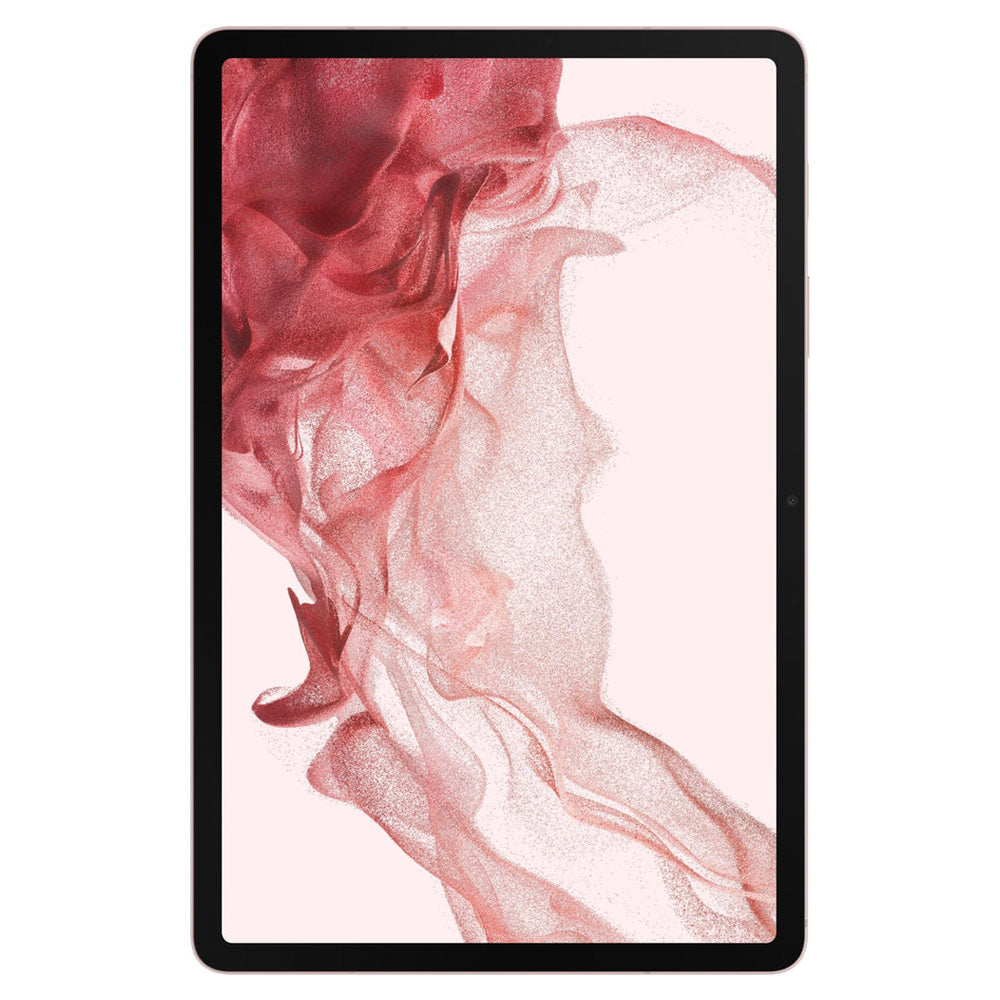
Why protect the Galaxy Tab S display?
Large tablet displays can collect fine scratches, scuffs and marks from bags, desks, dust and repeated use. MEZON's flexible films add a replaceable protective surface while keeping the tablet slim and maintaining normal capacitive touch and S Pen operation.
These films are primarily designed for scratch and surface protection. They are not the same as thick tempered glass and should not be relied on as a substitute for dedicated impact or drop protection.
Ultra Clear Film: preserve the original display look
The Ultra Clear option is designed for users who want the Galaxy Tab S display to remain as close as possible to its original glossy appearance. It is particularly appealing on high-resolution AMOLED and 120Hz models where colour, contrast and visual sharpness are major strengths.
- High transparency: preserves sharp text, vivid colour and the glossy screen appearance.
- Smooth S Pen glide: keeps a low-friction writing and drawing feel.
- Thin construction: adds surface protection without bulky glass.
- Three films per pack: provides replacements for future wear or reinstallation.
![[3 Pack] Samsung Galaxy Tab S8 11 Ultra Clear Film Screen Protector](https://mezon.com.au/cdn/shop/products/Tab_S8_0_logo_3x_e9a6246c-a02a-4709-8b37-fa827ee8f15e.jpg)
Recommended from MEZON: [3 Pack] Samsung Galaxy Tab S8 11 Ultra Clear Film Screen Protector
Anti-Glare Matte Film: a more paper-like S Pen surface
The Anti-Glare Matte option changes both the way the screen looks and the way it feels. Its fine texture diffuses reflections, makes fingerprints less obvious and introduces extra resistance under the S Pen tip.
That texture creates a more paper-like feel for handwriting and drawing than the smooth uncovered screen or Ultra Clear film. It will not feel identical to physical paper, but the added tactile feedback can make long note-taking or sketching sessions feel more controlled.
- Anti-glare finish: helps reduce distracting reflections.
- Paper-like S Pen feel: fine texture gives the pen tip more tactile resistance.
- Less visible fingerprints: useful on a display that is touched frequently.
- Three films per pack: gives you replacement protectors when the installed film wears.
![[3 Pack] Samsung Galaxy Tab S8 11 Anti-Glare Matte Film Screen Protector](https://mezon.com.au/cdn/shop/products/Tab_S8_0_logo_3x_b1affbe0-284d-46d3-bc0e-839168f7c89a.jpg)
Recommended from MEZON: [3 Pack] Samsung Galaxy Tab S8 11 Anti-Glare Matte Film Screen Protector
Clear vs Matte: which should you choose?
| Priority | Ultra Clear film | Anti-Glare Matte film |
|---|---|---|
| Display clarity | Preserves the glossy look, sharp text and vivid colour. | Slightly diffuses the image as part of the anti-glare finish. |
| Reflections | Keeps normal glossy-screen reflections. | Helps reduce reflections from windows and overhead lighting. |
| S Pen feel | Smooth, low-friction glide. | Fine texture adds resistance for a more paper-like writing feel. |
| Fingerprints | Smudges remain more visible. | Matte finish makes fingerprints less visually prominent. |
| Best for | Media, artwork, reading small text and maximum screen fidelity. | Frequent handwriting, drawing, study and bright environments. |
Choose Ultra Clear if display fidelity is your main priority, especially for video, photo work or users who prefer a smooth S Pen glide.
Choose Anti-Glare Matte if you regularly write or draw with S Pen, work near bright lighting, or prefer reduced reflections and less visible fingerprinting.
Recommended setups
- Best for display quality: Ultra Clear film for the closest-to-original screen appearance.
- Best for handwriting and drawing: Anti-Glare Matte film for its more paper-like S Pen feel.
- Best for study and bright rooms: Matte film helps reduce glare during longer reading and note-taking sessions.
S Pen guidance
Both MEZON films are thin enough for normal S Pen input. Keep the pen tip and screen protector clean, because hard grit trapped between them can create unnecessary abrasion. If you use the S Pen mainly for quick taps and occasional notes, Clear may feel most natural; for frequent handwriting or illustration, Matte usually provides the more deliberate writing surface.
Installation tips
- Work in a clean, low-dust area and switch the screen off.
- Clean and dry the entire display, paying particular attention to the edges.
- Check protector orientation and all camera/sensor cut-outs before exposing adhesive.
- Apply the film progressively rather than dropping the whole sheet onto the display at once.
- Gently work remaining air towards the nearest edge.
- Before writing with S Pen, confirm that no hard dust particle is trapped under the film in your usual writing area.
Frequently asked questions
Will the screen protector affect S Pen use?
Normal S Pen input remains compatible. The main difference is tactile: Clear stays smoother, while Matte adds friction for a more paper-like writing feel.
Does Matte film reduce clarity?
Any anti-glare surface slightly diffuses light, so it can look softer than glossy Clear film. That is the trade-off for reduced reflections, fewer visible fingerprints and the textured writing surface.
Is film the same as tempered glass?
No. Flexible film is mainly intended for scratches, scuffs and surface wear while keeping the tablet slim. It does not provide the same rigid impact protection as tempered glass.
When should I replace the protector?
Replace it when scratches, cloudiness, edge lifting or other wear begins to affect visibility or touch comfort. Each MEZON film product in this guide is supplied as a 3-pack, giving you spares for future replacement.