

Samsung Galaxy Tab Active5 Pro Screen Protector Guide: Clear vs Matte Film
MEZONSamsung Galaxy Tab Active5 Pro is a modern 10.1-inch rugged enterprise tablet designed for field teams, logistics, retail, public safety and other demanding environments. Its bright 120Hz display, replaceable-battery system, S Pen support, Samsung DeX and enterprise-focused controls make it much more than a conventional protective-shell tablet.
Galaxy Tab Active5 Pro technical specifications
| Display | 10.1-inch TFT, 1920 × 1200 (WUXGA), up to 120Hz |
| Processor | Modern 4nm Snapdragon platform |
| Memory & storage | Up to 8GB RAM / 256GB storage, with microSD expansion up to 2TB |
| Battery | 10,100mAh total capacity using replaceable 5,050mAh battery modules |
| Durability | Rugged enterprise design with IP68-class protection |
| Productivity | S Pen support, Samsung DeX, programmable Active Key and front NFC |
What stands out about the Galaxy Tab Active5 Pro
- 120Hz display makes scrolling and pen interaction feel smoother.
- Replaceable battery design is valuable for long shifts and managed device fleets.
- S Pen support makes the tablet practical for signatures, field notes and annotations.
- Samsung DeX, front NFC and the programmable Active Key broaden enterprise use cases.
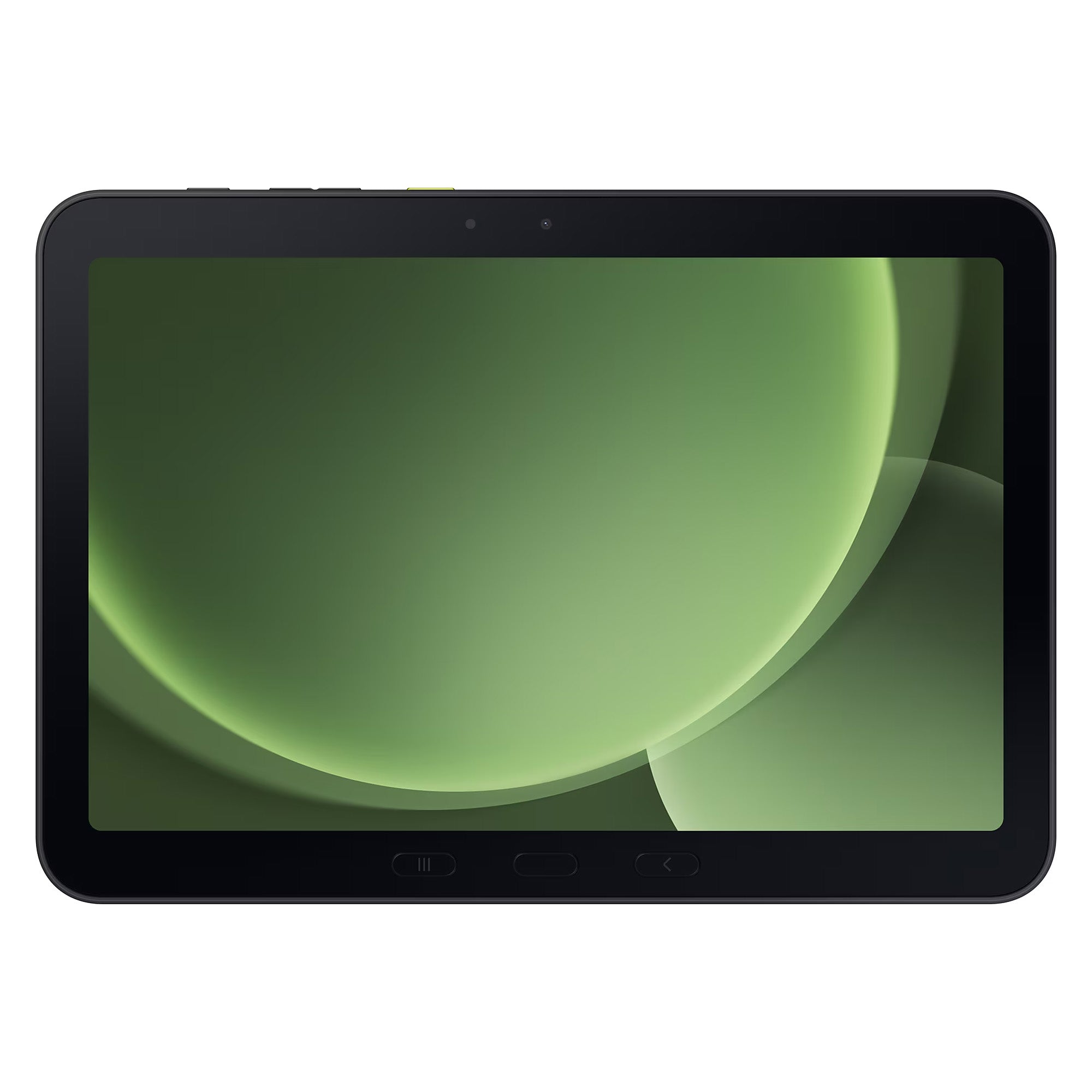
Why use a film screen protector?
Tablet screens are large, frequently touched and often carried in bags or placed on desks. A thin film protector adds a replaceable surface over the display to help reduce fine scratches, scuffs and everyday marks while keeping the tablet slim. Film should be viewed primarily as surface and scratch protection; it does not provide the same rigid impact resistance as a thick tempered-glass protector.
S Pen users: both film options are designed to keep touch and pen input responsive. The Clear film keeps a smoother glide, while the Matte film adds fine surface texture that can make handwriting and annotation feel more paper-like.
Ultra Clear Film: best for maximum screen clarity
![[3 Pack] Samsung Galaxy Tab Active5 Pro 10.1 Ultra Clear Film Screen Protectors](https://mezon.com.au/cdn/shop/files/Tab_Active5_Pro_101_0_logo_3x_08d61934-7f28-4b09-96ec-77923395efca.jpg)
View the [3 Pack] Samsung Galaxy Tab Active5 Pro 10.1 Ultra Clear Film Screen Protectors
The MEZON Ultra Clear film is the best fit if you want to preserve the original glossy appearance of the display. It is thin and unobtrusive, allowing colours, text and video to remain crisp while adding a sacrificial protective layer against everyday scratches and scuffs. The glossy surface also retains the familiar smooth touch feel of an unprotected screen.
Anti-Glare Matte Film: best for reflections and fingerprints
![[3 Pack] Samsung Galaxy Tab Active5 Pro 10.1 Anti-Glare Matte Film Screen Protectors](https://mezon.com.au/cdn/shop/files/Tab_Active5_Pro_101_0_logo_3x_fbcff09a-8248-4343-8569-e515681ef215.jpg)
View the [3 Pack] Samsung Galaxy Tab Active5 Pro 10.1 Anti-Glare Matte Film Screen Protectors
The MEZON Anti-Glare Matte film uses a lightly textured finish to diffuse reflections and make fingerprints less obvious. It is particularly useful for reading, working under overhead lighting or using the tablet in brighter environments. The trade-off is a small reduction in the glossy, crystal-clear appearance of the original display.
For regular S Pen use, the fine matte texture also adds extra friction under the pen tip, producing a more paper-like writing and drawing feel than the smoother Clear film.
Clear vs Matte: which screen protector should you choose?
| Feature | Ultra Clear | Anti-Glare Matte |
|---|---|---|
| Display appearance | Closest to the original glossy screen | Softly diffused matte finish |
| Reflections | Normal glossy reflections | Helps reduce glare and bright reflections |
| Fingerprints | More visible on the glossy finish | Generally less noticeable |
| Touch / pen feel | Smooth, glass-like pen glide | More paper-like friction for writing and drawing |
| Best for | Media, colour clarity and an original-screen look | Reading, bright environments and reduced fingerprints |
Recommended setups
- Best for movies, photos and maximum clarity: choose the Ultra Clear film.
- Best for handwriting and annotations: Matte film adds more texture and a more paper-like S Pen feel, while also reducing glare.
- Best for bright rooms or visible fingerprints: choose the Anti-Glare Matte film.
Installation tips
- Work in a clean, well-lit area and wash and dry your hands first.
- Clean the tablet screen thoroughly so no dust is trapped under the film.
- Check the orientation and camera/sensor openings before exposing the adhesive.
- Align the protector carefully, then apply it progressively rather than dropping the whole film onto the screen at once.
- Push remaining air towards the nearest edge with a soft card or squeegee, taking care not to scratch the film.
- If a dust particle is trapped underneath, lift only the nearest corner, remove the dust and re-lay the film.
FAQ
Does Matte film make the screen look less sharp?
A matte finish slightly diffuses light, so it does not look quite as glossy or crystal-clear as the Ultra Clear version. In return, it reduces reflections and makes fingerprints less visible.
Is film as protective as tempered glass?
No. Thin film is excellent for helping prevent scratches, scuffs and surface wear while keeping the tablet slim, but rigid tempered glass generally provides more protection against direct impact. Choose film when a thin profile, low bulk and a Clear or Matte finish are the priorities.
Will these films work with the S Pen?
Yes. Both finishes remain compatible with normal S Pen input. Clear gives the smoothest glide, while Matte adds more friction for a more paper-like writing feel.
How often should I replace a film protector?
There is no fixed replacement interval. Replace it when scratches, lifted edges, trapped contamination or general wear starts to affect visibility or touch comfort. Because each MEZON screen-protector product is supplied as a 3-pack, you have spare films available when the first one eventually needs replacing.
Shop all current MEZON accessories for Galaxy Tab Active5 Pro