

Motorola Edge 70 Fusion 5G Cases & Screen Protectors: Complete Guide
MEZONPicked up a Motorola Edge 70 Fusion 5G and want to protect its large quad-curved display without losing the smooth feel of the design? In this 2026 guide, we’ll help you confirm your exact model, explain what to look for in a case, and cover the hydrogel screen protector currently available from MEZON.
1. Make sure you have the right Motorola Edge 70 Fusion 5G model
Motorola uses similar naming across its Edge range, but accessories are not necessarily interchangeable. Confirm the exact phone before ordering.
To check your Motorola model:
- Open Settings.
- Scroll to About phone.
- Check the device name and model information.
- Confirm that your phone is the motorola edge 70 fusion. MEZON uses Motorola Edge 70 Fusion 5G in accessory listings to clearly identify the 5G model.
If the name matches, the fit guidance below is for your device.
2. Motorola Edge 70 Fusion 5G at a glance
The motorola edge 70 fusion combines a large quad-curved AMOLED display with a high-capacity silicon-carbon battery, Snapdragon performance and a 50MP Sony LYTIA main camera.
Key details that matter when choosing protection:
- 6.78-inch 1.5K Extreme AMOLED display: The large screen offers Super HD resolution, so there is plenty of premium display surface worth protecting.
- 144Hz refresh rate: The fast panel is designed for smooth motion and gaming, making a clear, touch-responsive protector important.
- Quad-curved construction: Motorola describes curved front and back surfaces with slim disappearing borders. Flexible film is particularly well suited to close coverage on this type of design.
- Gorilla Glass 7i: Motorola says the cover glass improves drop and scratch performance, but it is still sensible to add a replaceable protector for everyday wear.
- 50MP Sony LYTIA main camera: The camera uses OIS and 4K video. A well-designed case can help reduce direct contact between the rear camera area and hard surfaces.
- 7000mAh silicon-carbon battery: The phone supports 68W TurboPower charging and is designed for long daily use.
- Snapdragon 7s Gen 3: The processor supports everyday multitasking, entertainment and AI features.
- IP68/IP69 resistance: Dust and water protection adds durability, but does not eliminate the risk of scratches or impact damage.
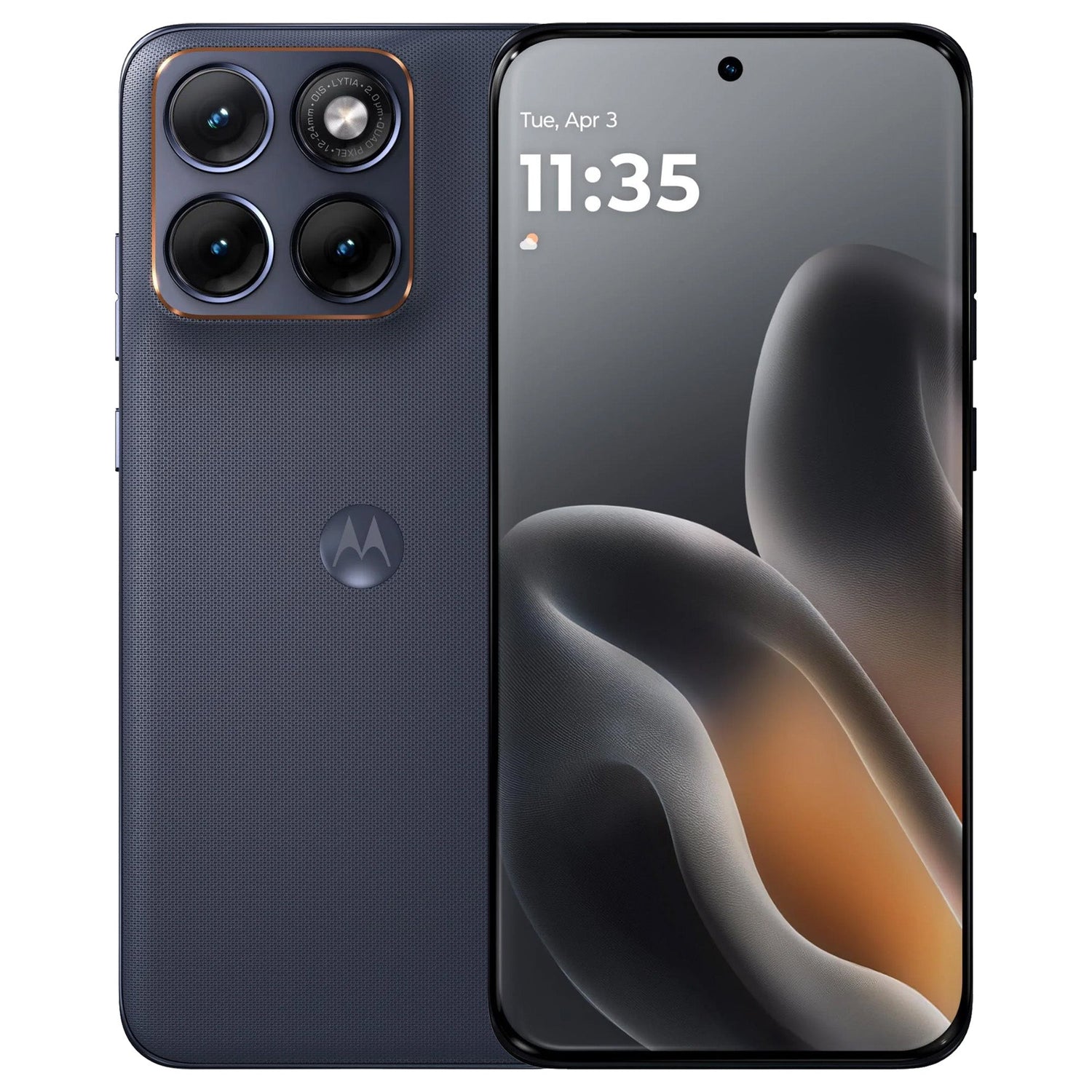
3. Why the curved design changes your protection choices
Curved displays look and feel premium, but they make fit more important because the protector and case both need to follow the shape of the phone without lifting at the edges.
Flexible screen coverage
Hydrogel film can follow curved edges more easily than many rigid protectors.
Case clearance
A case should not press against the edge of the protector, otherwise lifting can develop over time.
Grip
A rounded front-and-back design can feel smooth in hand. A slim case with grippy sides can make everyday handling more secure.
Camera protection
Look for a raised edge around the rear camera area so the lenses are less likely to rest directly on desks or tables.
4. Choosing a case for Motorola Edge 70 Fusion 5G
MEZON’s current collection lists the hydrogel screen protector rather than a case. If you are selecting a case elsewhere—or if MEZON adds case options later—fit around the curved edges is especially important.
- Exact Fusion fit: Choose a case specifically listed for Motorola Edge 70 Fusion, not the standard Edge 70.
- Screen-edge clearance: The front lip should protect the phone without pressing against the screen protector.
- Flexible grippy sides: TPU-style materials are useful for a phone with rounded contours.
- Raised camera edge: Look for protection around the 50MP camera area.
- Precise port and button access: Model-specific cut-outs are important for comfortable everyday use.
5. Screen protector option for Motorola Edge 70 Fusion 5G
5.1. MEZON clear hydrogel film
MEZON currently offers a 3-pack clear hydrogel film for the Motorola Edge 70 Fusion 5G. Its flexible construction is particularly relevant to the phone’s quad-curved design.
- Edge-to-edge coverage: Designed to follow the display closely, including curved edges.
- Ultra-clear material: Helps maintain the bright 1.5K AMOLED display and vivid colour.
- Fingerprint-sensor compatible: MEZON specifically lists compatibility with the fingerprint sensor.
- Case friendly: The thin film is designed to work with cases without the bulk of thick glass.
- Flexible construction: Well suited to screens where rigid glass may be more difficult to fit around curved edges.
- 3-pack: Includes spare protectors for future replacement.
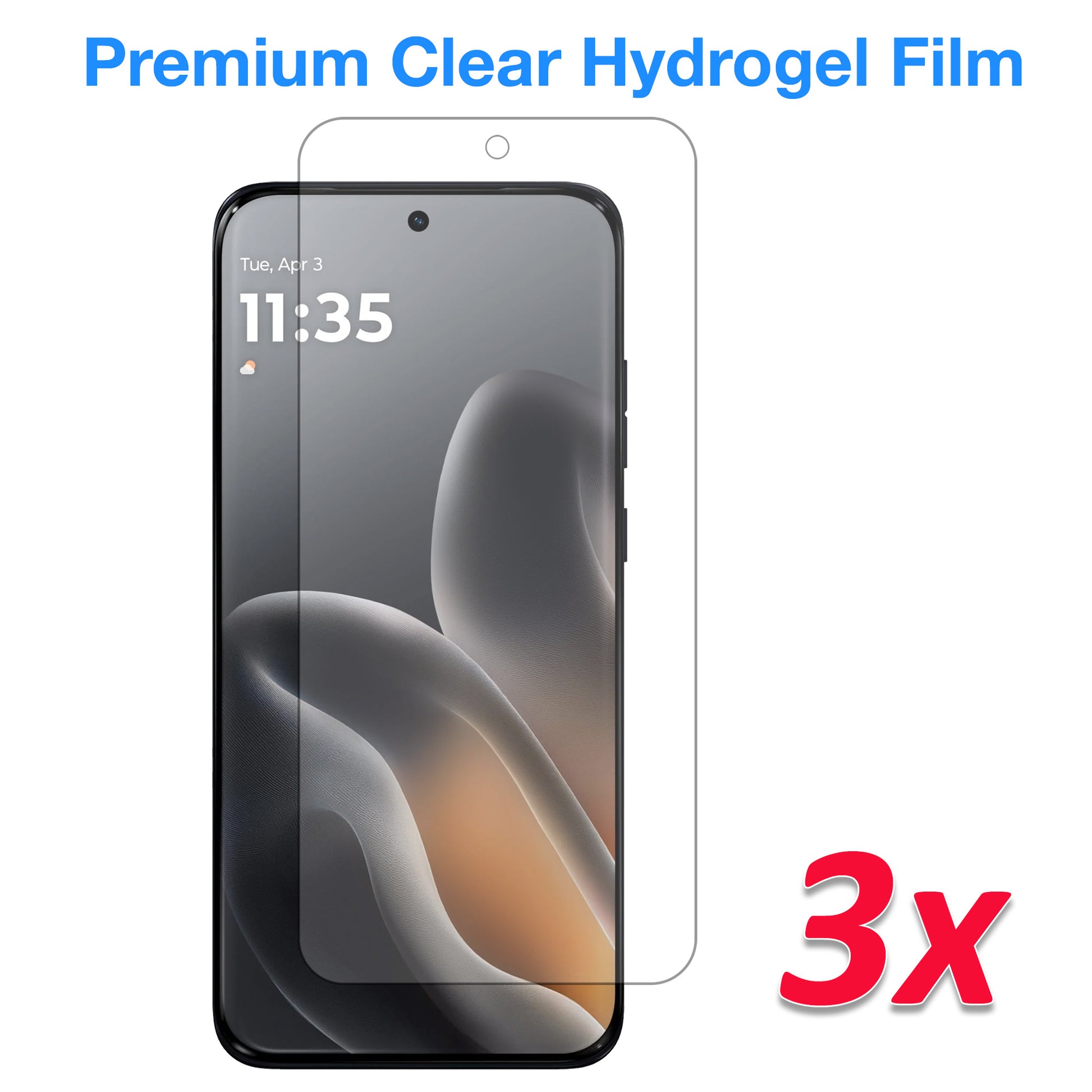
Recommended from MEZON: [3 Pack] Hydrogel Film for Motorola Edge 70 Fusion 5G
6. Why hydrogel suits a quad-curved display
The Edge 70 Fusion’s curved design makes flexibility especially useful. Compared with a rigid protector, hydrogel can:
- follow the display’s curved edges more closely;
- add very little thickness to the front of the phone;
- leave more clearance for a well-fitted case;
- reduce the risk of a thick protector edge being pushed up by the case;
- preserve the bright, smooth appearance of the AMOLED screen.
If you prefer tempered glass, make sure any future glass protector is specifically designed for the Edge 70 Fusion’s screen geometry. A generic or poorly matched glass protector is more likely to have edge-fit problems.
7. Installation tips & common mistakes to avoid
Good installation matters just as much as the protector material. A clean screen and careful alignment help prevent dust, lifting and visible bubbles.
- Wash and dry your hands before starting.
- Work in a clean room away from open windows, fans and airborne dust.
- Clean the screen thoroughly with the supplied cleaning materials.
- Remove every visible dust particle before exposing the adhesive side.
- Check the protector orientation and alignment before applying the full surface.
- For hydrogel film, use the installation card to smooth the protector progressively across the screen.
- Push larger bubbles towards the nearest edge instead of repeatedly lifting the film.
- If fitting a case as well, install the screen protector first and then confirm the case edge does not push against it.
- After installation, test normal touch response and fingerprint unlocking.
8. Current Motorola Edge 70 Fusion 5G accessory at MEZON
|
[3 Pack] Clear Hydrogel Film Flexible edge-to-edge film designed for the curved display, high clarity, fingerprint-sensor compatibility and case-friendly fit. |
9. FAQ: Motorola Edge 70 Fusion 5G cases & screen protectors
Is Motorola Edge 70 Fusion the same as Motorola Edge 70 Fusion 5G?
Motorola’s official Australian product name is motorola edge 70 fusion. MEZON uses Motorola Edge 70 Fusion 5G in accessory listings to clearly identify the 5G device.
Can I use Motorola Edge 70 accessories on the Edge 70 Fusion?
No. Treat them as separate devices and choose accessories specifically listed for the exact model. The display geometry and body dimensions can differ.
Is hydrogel suitable for the curved display?
Yes. Flexible hydrogel is a practical choice for a curved display because it can follow the screen shape more closely than many rigid protectors.
Will hydrogel affect the fingerprint sensor?
The current MEZON hydrogel film is specifically listed as compatible with the fingerprint sensor. Test unlocking after installation and re-register your fingerprint if required.
Does Gorilla Glass 7i make a protector unnecessary?
No cover glass is completely scratch-proof. A protector adds a replaceable layer against normal marks from pockets, bags and hard surfaces.
See the latest options on the Motorola Edge 70 Fusion 5G accessories collection at MEZON.