

Fitbit Screen Protectors by Model: Complete Guide
MEZONFitbit devices are designed to be worn all day—during workouts, at work, while sleeping and everywhere in between. That also means the display is constantly exposed to desks, door frames, gym equipment, bags and everyday scratches.
MEZON currently offers one screen-protector type across 12 Fitbit models: a 3-pack of ultra-clear flexible TPU film, precision-cut for the individual device. Rather than creating a separate guide for every Fitbit, this article brings the whole range together so you can identify your model and choose the correct protector.
1. Which Fitbit models does MEZON currently support?
The current MEZON Fitbit collection contains 12 model-specific screen protectors across the Versa, Sense, Charge and Inspire families, plus Fitbit Luxe.
| Fitbit model | Series | MEZON protector |
|---|---|---|
| Fitbit Versa 4 | Versa | View protector |
| Fitbit Versa 3 | Versa | View protector |
| Fitbit Versa 2 | Versa | View protector |
| Fitbit Sense 2 | Sense | View protector |
| Fitbit Sense | Sense | View protector |
| Fitbit Charge 6 | Charge | View protector |
| Fitbit Charge 5 | Charge | View protector |
| Fitbit Charge 4 | Charge | View protector |
| Fitbit Charge 3 | Charge | View protector |
| Fitbit Inspire 3 | Inspire | View protector |
| Fitbit Inspire 2 | Inspire | View protector |
| Fitbit Luxe | Luxe | View protector |
Important: do not choose a protector simply because two Fitbits look similar. Versa 3 and Sense, Versa 4 and Sense 2, and Charge 5 and Charge 6 are particularly easy to confuse visually. Always match the exact model name.
2. Why MEZON uses flexible TPU film for Fitbit screens
For small wearable displays, flexible TPU film has several practical advantages. MEZON’s Fitbit protectors are designed as a thin, model-specific layer rather than thick rigid glass.
- Ultra-clear finish: Designed to maintain display visibility and touch responsiveness.
- Flexible fit: TPU follows the small curved or rounded screen area more naturally than many rigid protectors.
- Maximum coverage: Each protector is precision laser-cut for the specific Fitbit model.
- Self-healing material: The flexible TPU is designed so light surface marks can become less noticeable over time.
- Everyday scratch protection: Helps protect against scraping, abrasion and the repeated contact that comes with wearing a tracker or watch all day.
- Three protectors per pack: You have spares for replacement or a future reinstallation.
This does not make a Fitbit impact-proof, but it gives the original display a replaceable outer layer that can take normal wear first.
3. How to identify your Fitbit before ordering
Start with the model name shown in your Fitbit/Google Health device information or the device’s About device / Device Info / System Info area where available. Google’s Fitbit help documentation also shows useful physical differences between generations—for example, Charge 6 has a physical button while Charge 5 is touch-only; Inspire 3 uses a colour AMOLED display while Inspire 2 uses a monochrome PMOLED display.
If you are still unsure, compare your device with the model images below. The images are taken directly from the corresponding MEZON model collection pages supplied in the MEZON collection sitemap.
4. Fitbit Versa screen protectors
The Versa range uses a smartwatch-style rounded-square display. Because the generations are similar in size and shape, exact model matching is especially important.
Fitbit Versa 4
Rounded-square smartwatch with a colour touchscreen and a physical side button. It is the newest Versa model currently covered by MEZON.
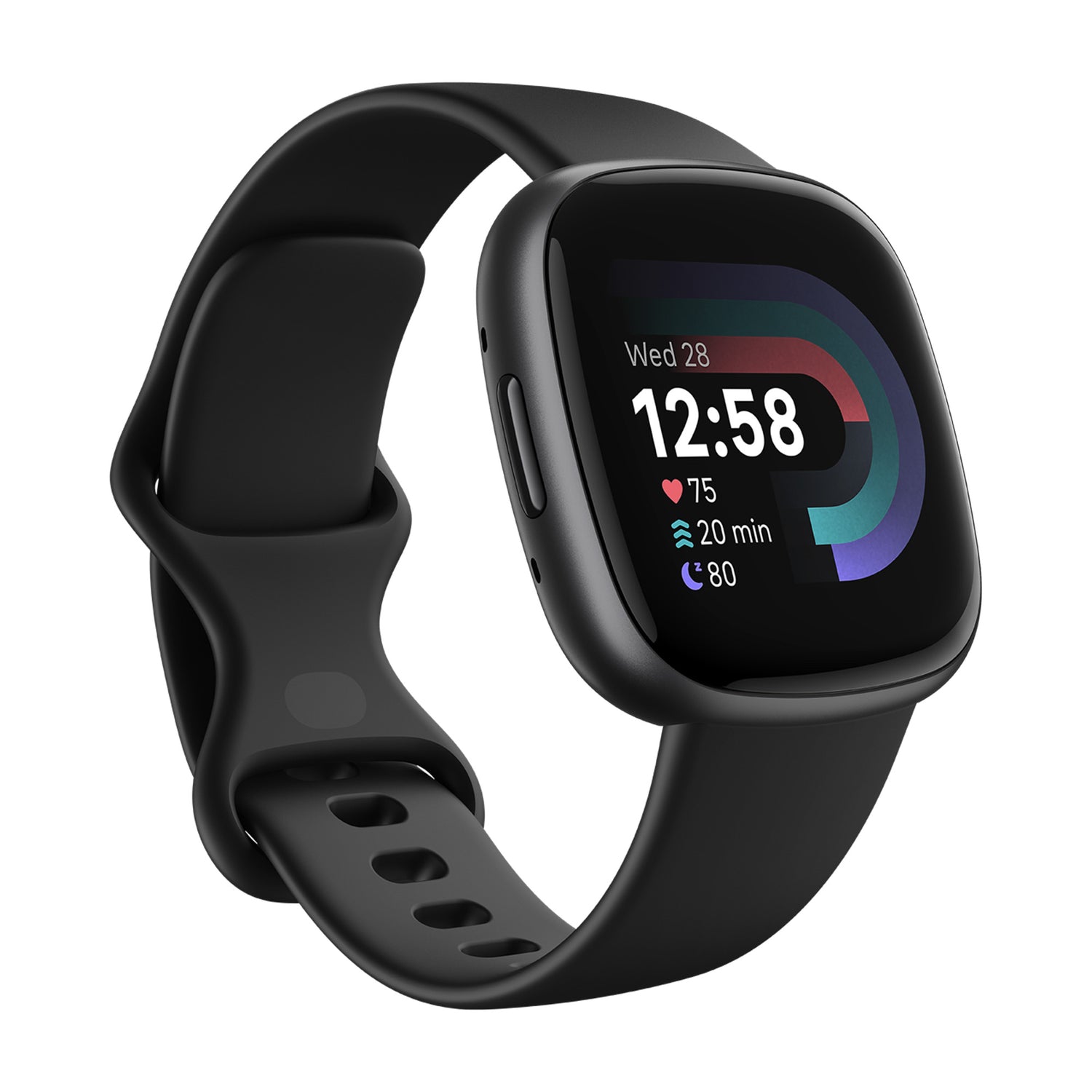
Recommended protector: MEZON 3-Pack Ultra Clear TPU Film for Fitbit Versa 4.
Fitbit Versa 3
Rounded-square colour smartwatch from the previous generation. Unlike Versa 4, it uses Fitbit’s recessed/haptic-style side control rather than the newer physical button.
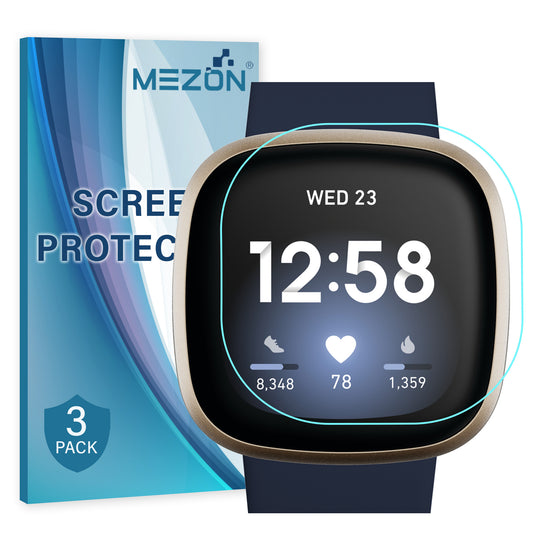
Recommended protector: MEZON 3-Pack Ultra Clear TPU Film for Fitbit Versa 3.
Fitbit Versa 2
Older square Versa design with a single physical button on the left side and a visibly different bezel/body shape from Versa 3 and Versa 4.
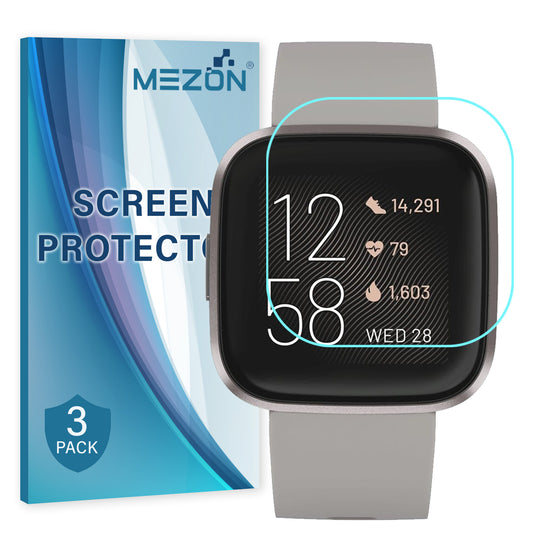
Recommended protector: MEZON 3-Pack Ultra Clear TPU Film for Fitbit Versa 2.
5. Fitbit Sense screen protectors
Sense watches are visually close to the corresponding Versa generations. Sense 2 resembles Versa 4, while the original Sense shares the older rounded-square design language of Versa 3. Choose by the exact model name rather than outline alone.
Fitbit Sense 2
Premium rounded-square Fitbit smartwatch with a physical side button. Its overall shape is close to Versa 4, so check the model name rather than choosing by appearance alone.
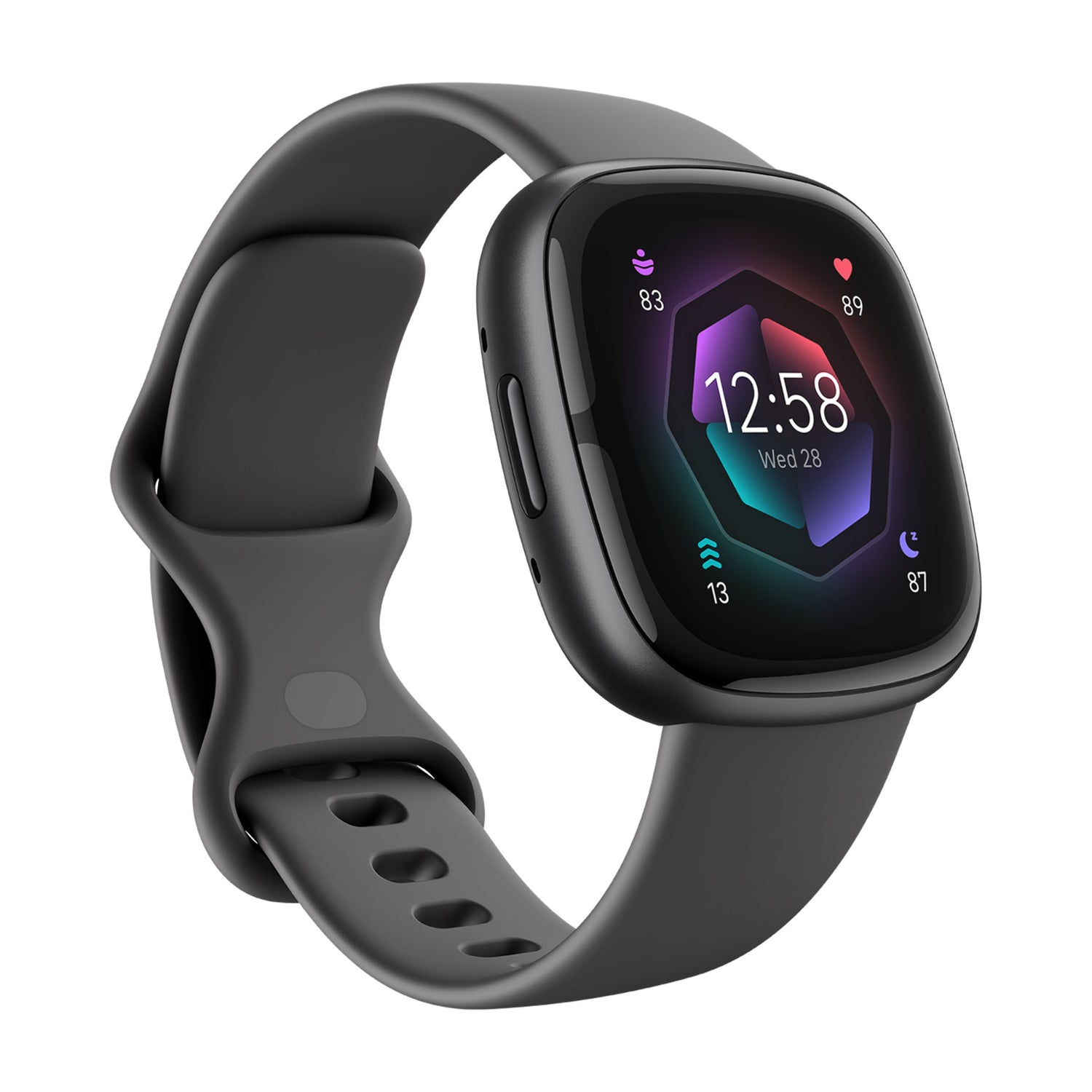
Recommended protector: MEZON 3-Pack Ultra Clear TPU Film for Fitbit Sense 2.
Fitbit Sense
First-generation Sense with a rounded-square colour screen and recessed/haptic-style side control, visually related to Versa 3.
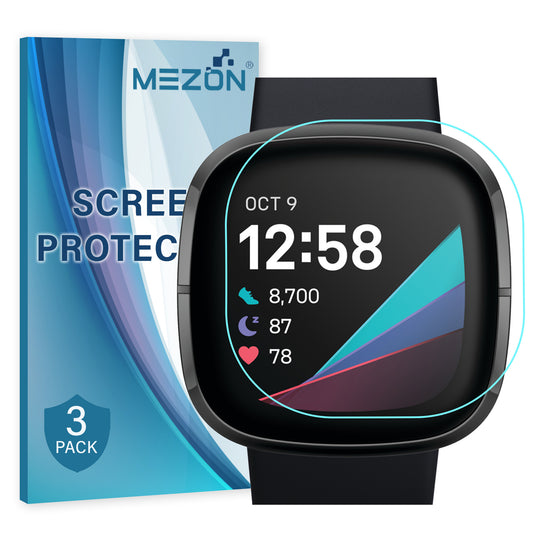
Recommended protector: MEZON 3-Pack Ultra Clear TPU Film for Fitbit Sense.
6. Fitbit Charge screen protectors
The Charge family changed significantly between generations. Charge 5 introduced the rounded colour AMOLED design; Charge 6 kept a similar look but restored a physical side button. Charge 3 and Charge 4 use the older, narrower tracker shape.
Fitbit Charge 6
Slim colour AMOLED tracker with a distinct physical side button. That button is one of the easiest ways to distinguish it from Charge 5.
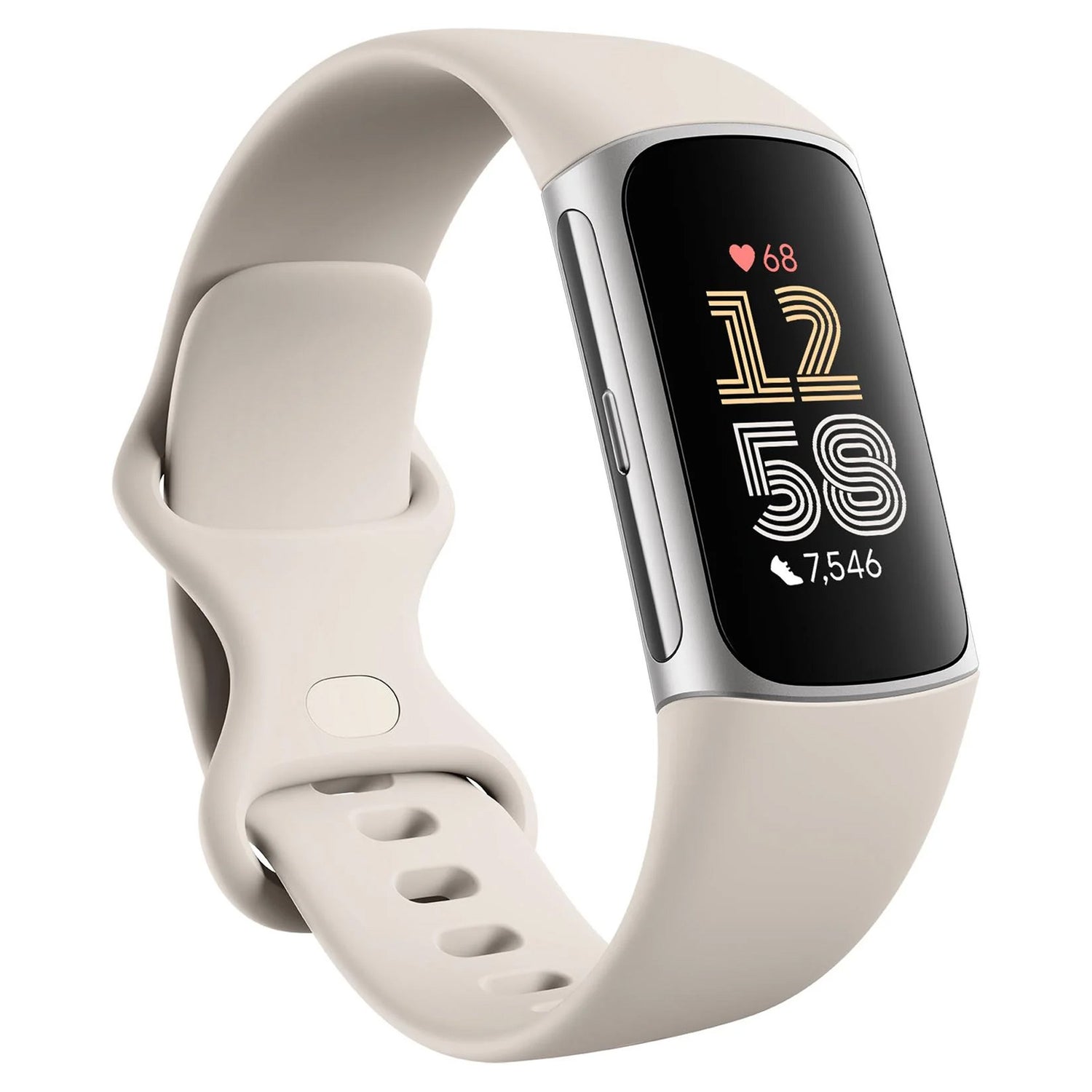
Recommended protector: MEZON 3-Pack Ultra Clear TPU Film for Fitbit Charge 6.
Fitbit Charge 5
Slim colour AMOLED tracker with no physical side button. The body is very similar to Charge 6, so model confirmation is important.
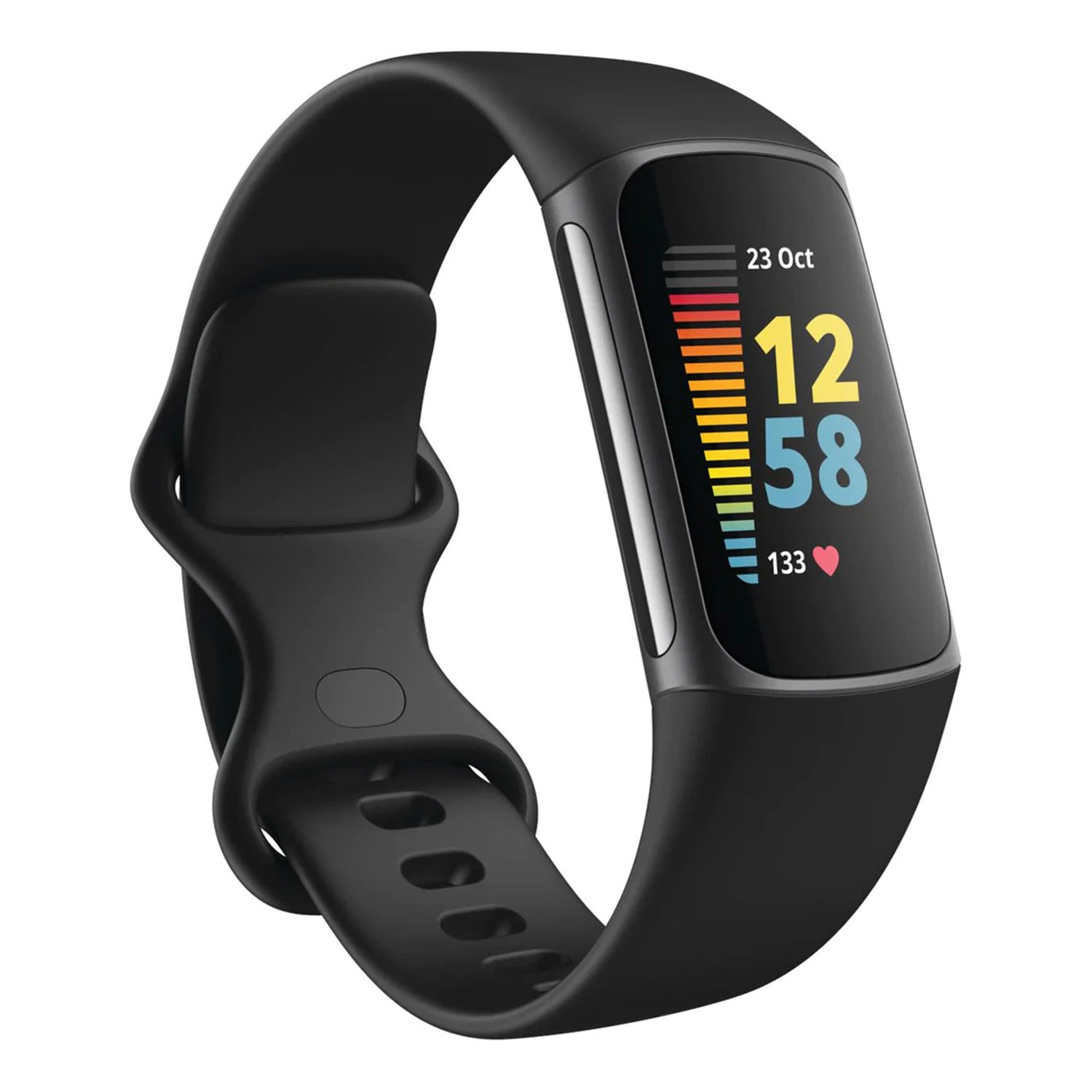
Recommended protector: MEZON 3-Pack Ultra Clear TPU Film for Fitbit Charge 5.
Fitbit Charge 4
Older narrow Charge design with a more rectangular monochrome-style display and side control, clearly different from the rounded colour-screen Charge 5/6 generation.
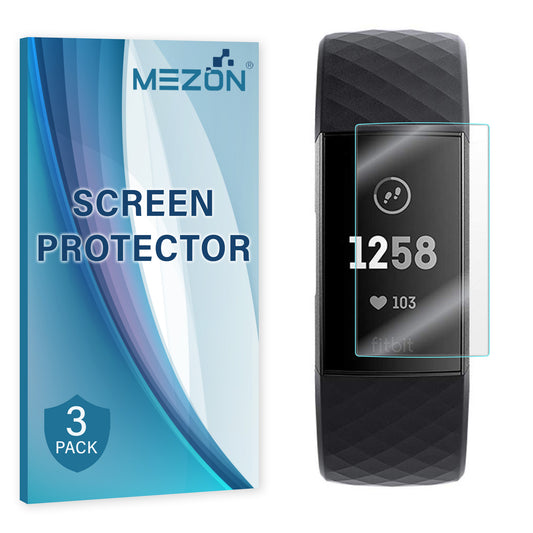
Recommended protector: MEZON 3-Pack Ultra Clear TPU Film for Fitbit Charge 4.
Fitbit Charge 3
Very similar in overall shape to Charge 4, with the earlier narrow rectangular tracker design. Check the model in your Fitbit settings or app rather than relying only on appearance.
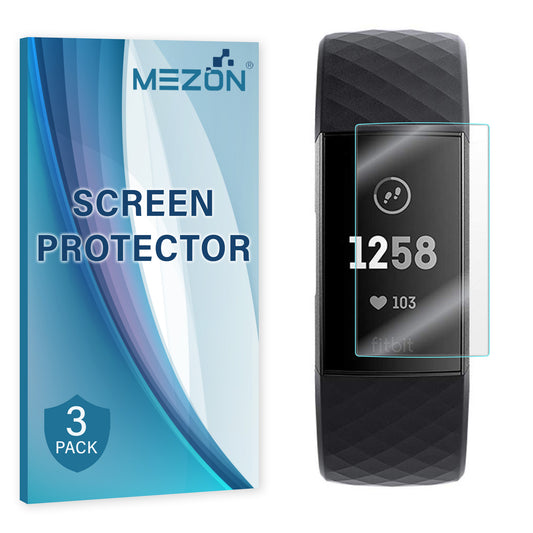
Recommended protector: MEZON 3-Pack Ultra Clear TPU Film for Fitbit Charge 3.
7. Fitbit Inspire screen protectors
Inspire models are slimmer than the Charge family. The easiest distinction between the two supported generations is the display: Google’s Fitbit documentation identifies Inspire 3 as a colour AMOLED tracker and Inspire 2 as a PMOLED tracker.
Fitbit Inspire 3
Very slim tracker with a colour AMOLED touchscreen and two side buttons. Its colour display is a quick visual clue compared with Inspire 2.
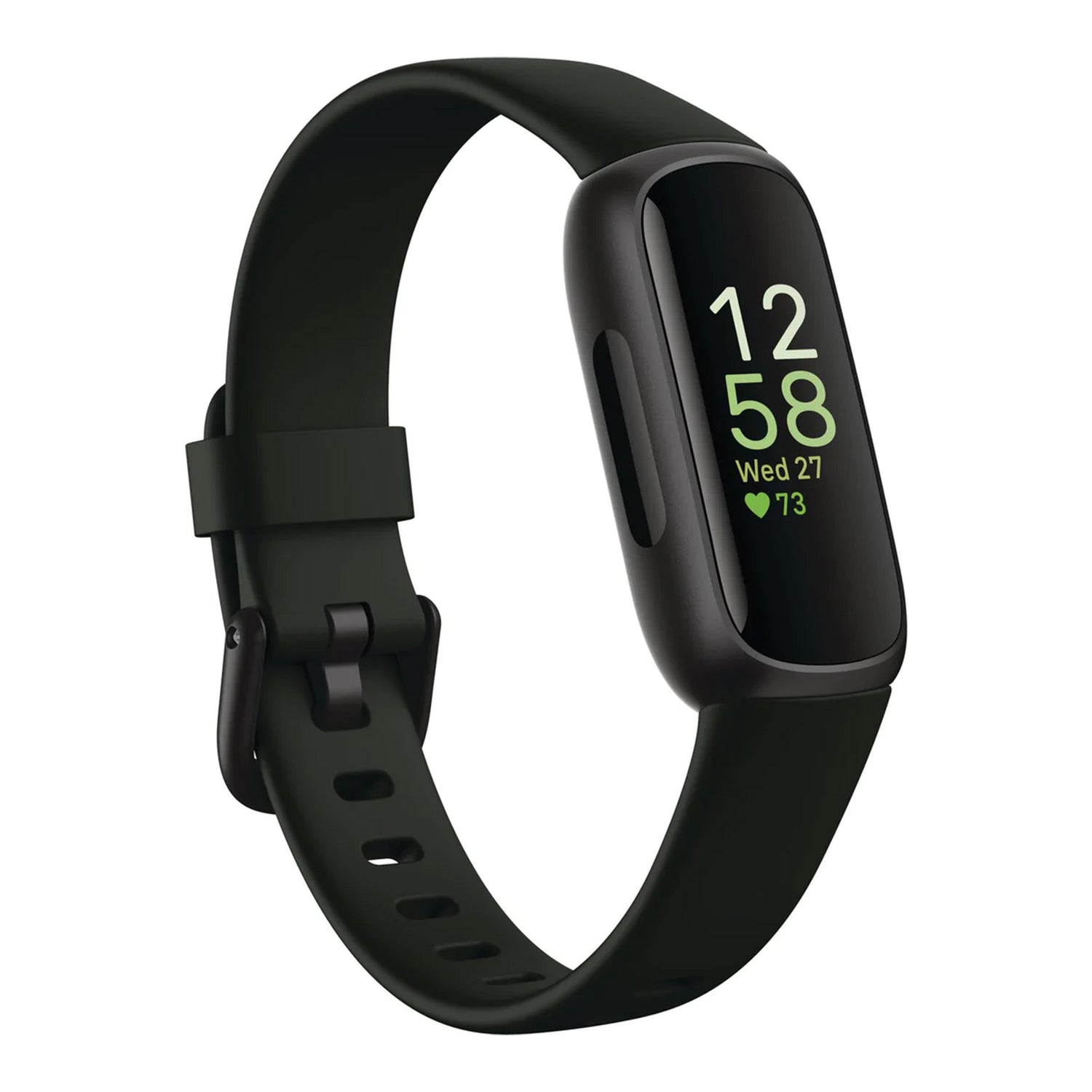
Recommended protector: MEZON 3-Pack Ultra Clear TPU Film for Fitbit Inspire 3.
Fitbit Inspire 2
Slim monochrome PMOLED tracker with two side buttons. It has a darker, simpler display than the colour-screen Inspire 3.
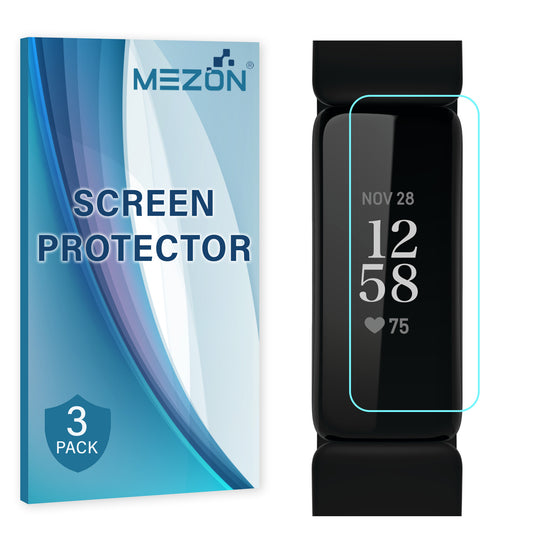
Recommended protector: MEZON 3-Pack Ultra Clear TPU Film for Fitbit Inspire 2.
8. Fitbit Luxe screen protector
Fitbit Luxe is the most jewellery-like tracker in the range, with a narrow colour AMOLED display and a slim polished-looking case. Its screen shape is unique enough that a model-specific protector is essential.
Fitbit Luxe
Narrow jewellery-inspired tracker with a colour AMOLED touchscreen and no obvious physical side button.
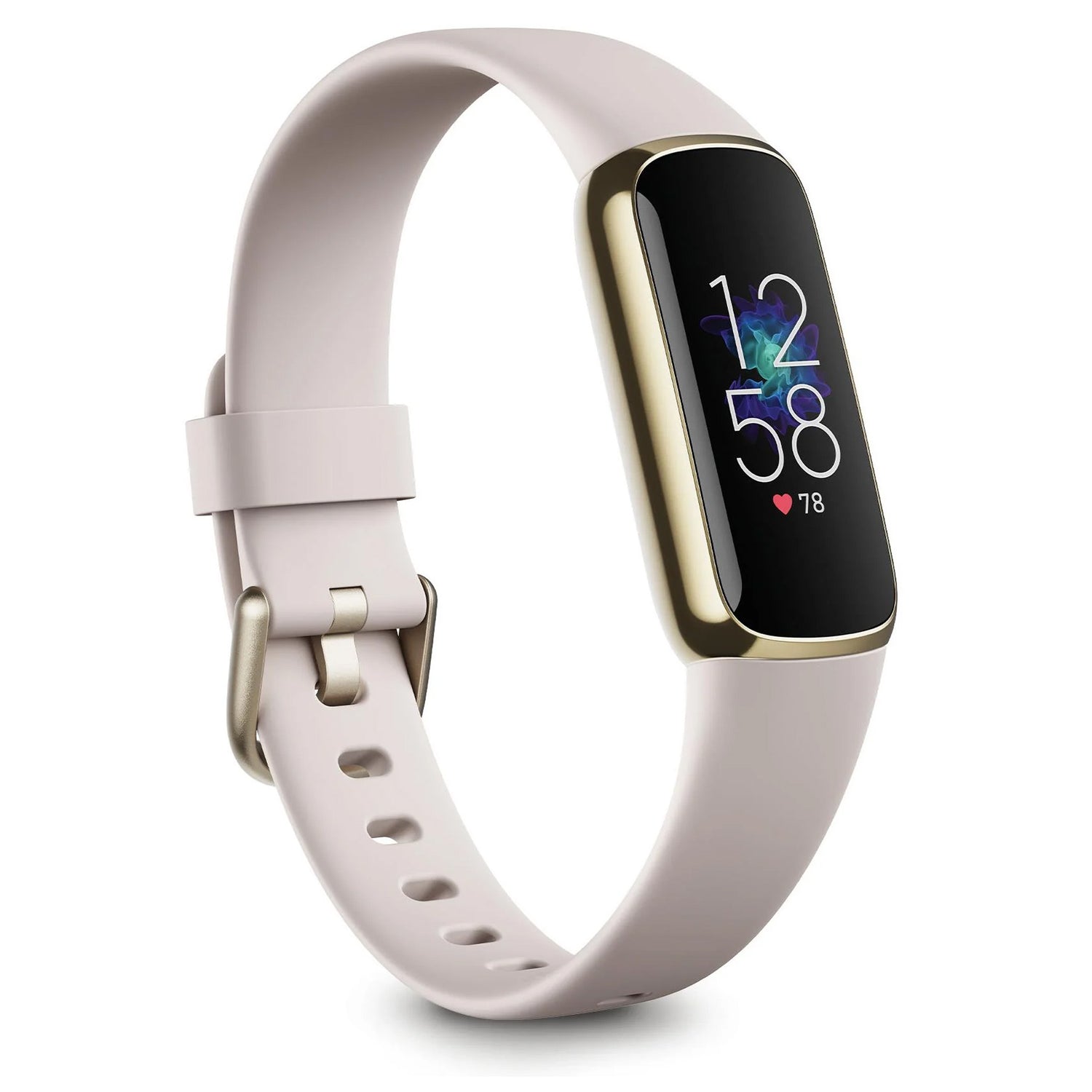
Recommended protector: MEZON 3-Pack Ultra Clear TPU Film for Fitbit Luxe.
9. Which Fitbit screen protector do we recommend?
Because MEZON currently sells the same protector technology for every supported Fitbit, the recommendation is straightforward: choose the 3-Pack MEZON Ultra Clear TPU Film specifically cut for your exact model.
There is no reason to choose a Versa protector for a Sense, or a Charge 5 protector for a Charge 6, simply because the devices look similar. The value of a model-specific film is the laser-cut fit around the exact display shape and edges.
For the complete range, browse Fitbit screen protectors at MEZON.
10. How to install a Fitbit TPU film screen protector
Wearable screens are small, so a tiny piece of dust or a slight alignment error is more noticeable than it might be on a large phone screen. Take your time with installation.
- Remove the Fitbit from your wrist. Install the protector while the device is cool, clean and dry.
- Clean the display thoroughly. Remove fingerprints, skin oils and any dust around the edges.
- Check the orientation before exposing the adhesive. Compare the cut shape with the screen and any curved corners.
- Align carefully. A small misalignment on a compact tracker can cause an edge to sit outside the intended screen area.
- Apply progressively. Smooth the flexible film across the display rather than pressing the entire surface down at once.
- Push larger air pockets towards the nearest edge. Avoid repeatedly peeling the protector back once it has contacted the screen.
- Check the edges. Make sure the film is fully seated before putting the Fitbit back on your wrist.
11. Why screen protection is useful on a fitness tracker
A Fitbit screen can be exposed to more accidental contact than a phone screen because it stays on your wrist while you move. Common situations include:
- brushing against door frames or walls;
- contact with gym equipment, weights or machines;
- scraping against a desk while typing;
- wearing the tracker during outdoor exercise or gardening;
- placing the watch or tracker face-down while changing bands or charging.
A thin TPU film is particularly useful for this kind of repeated surface wear because it adds very little bulk to a device designed to be worn continuously.
12. FAQ: Fitbit screen protectors
Do Fitbit Charge 5 and Charge 6 use the same screen protector?
MEZON lists them as separate model-specific products. Although the trackers look very similar, choose the protector specifically labelled for your model.
Are Fitbit Versa 3 and Sense screen protectors interchangeable?
Do not assume they are. MEZON maintains separate collection/product listings for Versa 3 and Sense, so match the exact device name.
What is the difference between Charge 5 and Charge 6 visually?
Google’s Fitbit documentation identifies Charge 6 as having a physical button. Charge 5 uses the colour AMOLED touchscreen without that physical side button.
How can I tell Inspire 2 from Inspire 3?
Inspire 3 has a colour AMOLED touchscreen, while Inspire 2 uses a monochrome PMOLED touchscreen. Both use side buttons, but the display is an easy visual clue.
Is TPU film better than tempered glass for Fitbit?
They serve different preferences. MEZON currently uses flexible TPU film across its Fitbit range because it is thin, responsive and well suited to the small rounded surfaces of wearable devices.
Will a screen protector affect touch sensitivity?
MEZON’s ultra-clear TPU film is designed to maintain touch sensitivity and fast response when installed correctly.
How often should I replace a Fitbit screen protector?
There is no fixed interval. Replace it when scratches, edge lifting or wear become distracting, or whenever the protector no longer sits cleanly on the display.
Does MEZON sell Fitbit protectors in packs?
Yes. The current Fitbit range is sold as 3-pack ultra-clear TPU film screen protectors, giving you spare films for future replacement.
Not sure where to start? Visit the MEZON Fitbit collection and select your exact Fitbit model before ordering.